Diwa Pay Login, Register & APK Download – Real User Guide 2026
Written by a daily Diwa Pay user with 6 months of experience selling 200–400 USDT per day. Every number here was checked inside the app.
Last verified:
Welcome to the Diwa Pay guide
Diwa Pay (also searched as Diwapay, Divapay, Diva Pay or दीवा पे) is a P2P app where you sell USDT and trade tokens, and buyers pay you in rupees directly through UPI. Most Diwa Pay websites copy the same text and give numbers that don't match. This guide is based on my own daily use, gives exact numbers, and also covers the problems you may face, including a bank lien on my own account.
Hinglish summary: Diwa Pay ek P2P app hai jahan aap USDT bechkar seedha UPI mein rupaye le sakte ho. Is guide mein download, login, register, bonus, payment tools aur asli risks sab kuch ek real user ke experience se likha gaya hai.
What is Diwa Pay?
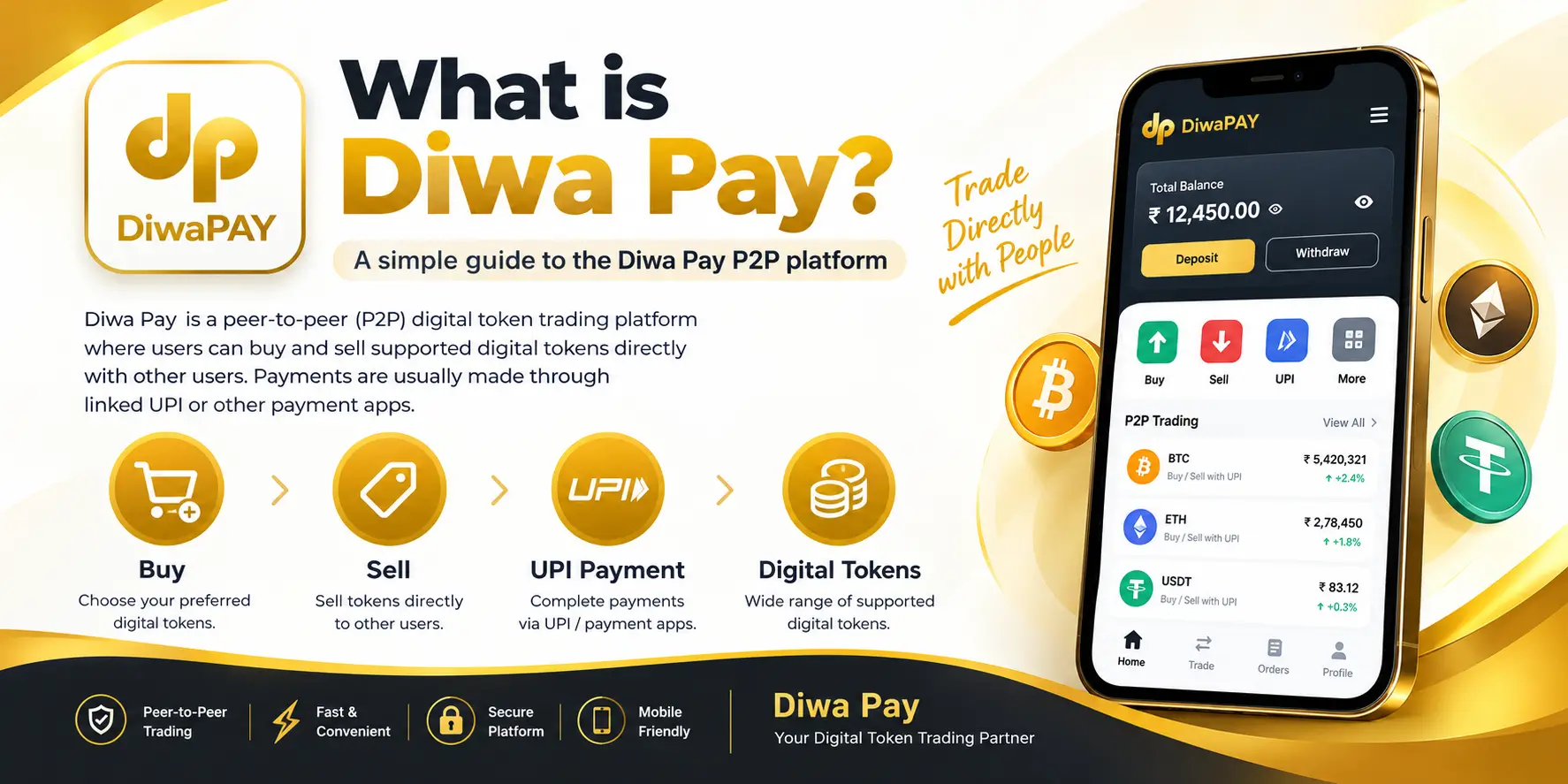
Diwa Pay is an Android app for P2P (peer-to-peer) trading. You trade directly with another user, not with a bank or exchange. On Diwa Pay you mainly do two things:
- Sell USDT: you list your USDT, a buyer is matched to your order, and the buyer pays you in rupees through UPI.
- Trade tokens: you buy the app's internal token and sell it in the marketplace, with up to 4% return on completed sell orders.
The Diwa Pay token only has value inside the app. You can't trade it on exchanges like Binance or CoinDCX. The app is not on the Google Play Store, so you install it as an APK file.
Diwa Pay kya hai? Diwa Pay ek P2P app hai jisme aap USDT ya token bechkar seedha apne UPI mein rupaye le sakte ho. Token sirf app ke andar chalta hai.
Diwa Pay quick info (verified September 2026)
| Detail | Information |
|---|---|
| App name | Diwa Pay (Diwapay) |
| Platform | Android APK (not on Play Store) |
| Invite code | 0sDgKy |
| Welcome bonus | ₹88 to ₹121 |
| USDT sell rate | ₹110 per USDT |
| USDT network fee | TRC20: 1.5 USDT, BEP20: 0.01 USDT |
| Token sell return | Up to 4% |
| Other fees | None apart from the network fee |
| Referral | Level B 2%, Level C 0.2% |
| Buyer payment time | Up to 20 minutes |
| Buy/sell limit | No limit in my experience |
| Register needs | Username, mobile, password, OTP |
| Support | diwapaychat.com and official Telegram |
Rates and bonus amounts can change. Always check the live figure in the app before placing an order.
Read this before you start: real risks
Most Diwa Pay websites skip this. It is near the top because it matters more than any bonus.
A bank lien on my own account
After about 6 months of daily selling, my bank placed a lien of ₹2,100 on my account. A lien blocks that specific amount so you can't use it. My account was not fully frozen, but the money was held.
Why it happens: in P2P selling, money comes from buyers you don't know. If any of that money is linked to a cyber-fraud complaint (for example on the 1930 helpline or cybercrime.gov.in), the bank can hold that amount in every account the money passed through, even if your trade was honest.
If a lien or freeze happens to you
- Ask your bank branch, in writing, for the reason, the complaint number and which police station or cyber cell sent the request.
- Save every Diwa Pay order record, the buyer's UTR and trade screenshots.
- Contact that cyber cell with your trade proof.
- Talk to a lawyer if the amount is large or more than one lien appears.
How to lower the risk
- Start with small amounts instead of large daily volume.
- Use a separate bank account for P2P, not your salary or main savings account.
- Never accept payment from a name that doesn't match the buyer or from a third party.
- Keep records of every trade.
Tax
In India, income from transferring crypto assets like USDT is treated as Virtual Digital Asset (VDA) income, taxed at a flat 30%, with a 1% TDS rule on transfers above set limits. Ask a CA about your own case.
Diwa Pay APK download & install
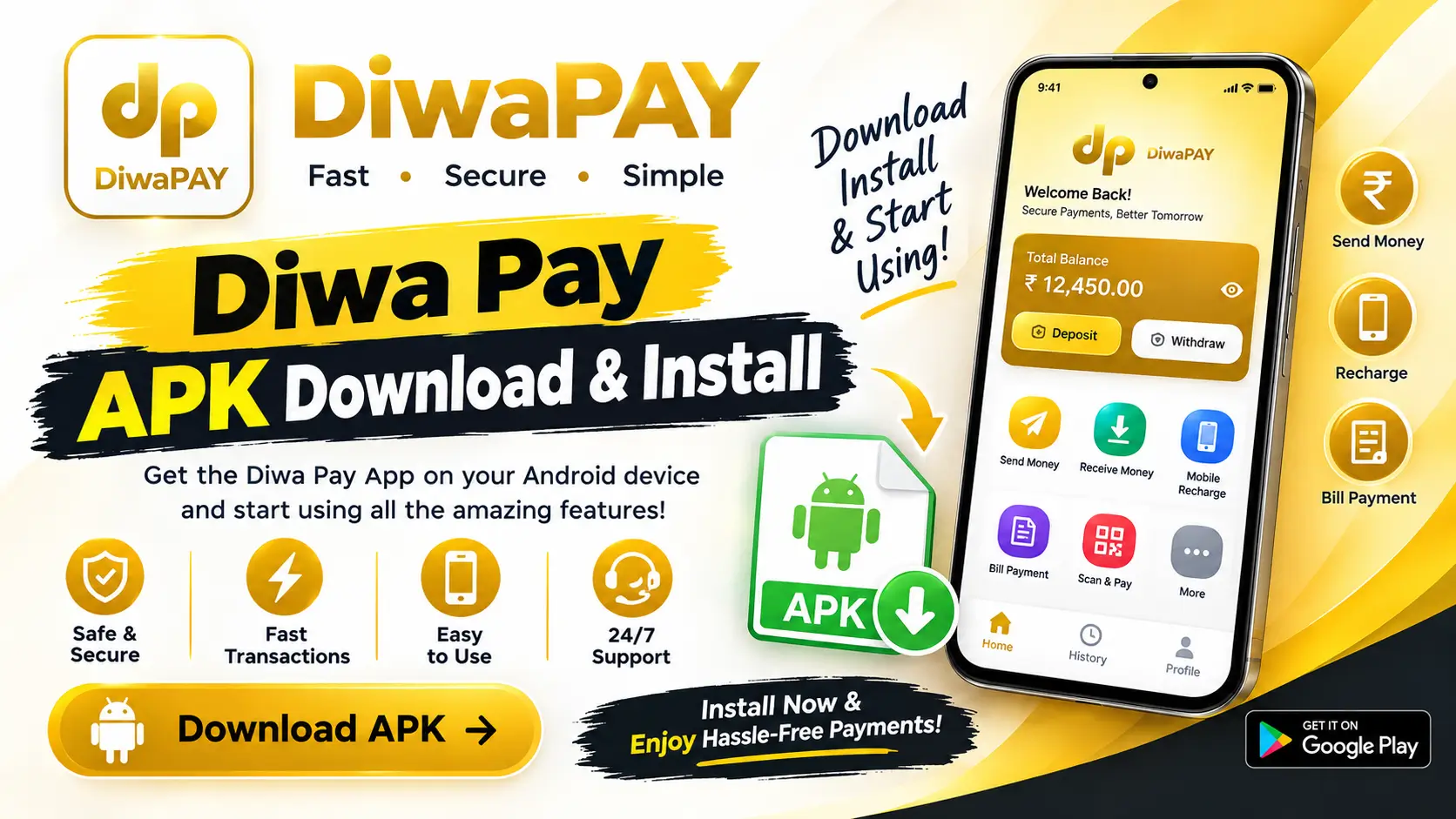
- Open the official link: diwadown.net. This is the link shared in Diwa Pay's official Telegram channel and the same link the app gives in its Refer section.
- Download: tap Download and wait for the APK to finish.
- Open the file: go to File Manager or Downloads and tap the Diwa Pay APK.
- Allow install: if Android shows "Install unknown apps", allow it for your browser or file manager.
- Install and open: tap Install, then Open, and register with invite code 0sDgKy.
After installing, turn "Install unknown apps" off again for better phone security.
Diwa Pay latest version & update
When a new version comes out, download it from the same official link. Don't install updates that strangers send on WhatsApp or Telegram.
Diwa Pay iOS
Diwa Pay is Android-only as of September 2026. Don't pay for any "Diwa Pay iPhone" or IPA file.
Video: how to download and install
Official vs fake Diwa Pay links
Because Diwa Pay isn't on the Play Store, many copy websites use its name. This is how I check a link:
| Check | Safe sign | Danger sign |
|---|---|---|
| Download link | Same as official Telegram and in-app Refer section | Sent by a stranger or an ad |
| Permissions | Normal app permissions | Asks for SMS reading, screen control or accessibility |
| Support | diwapaychat.com or official Telegram | Phone numbers found on Google |
| Login page | Asks mobile and password | Asks UPI PIN or bank OTP |
Diwa Pay register with invite code
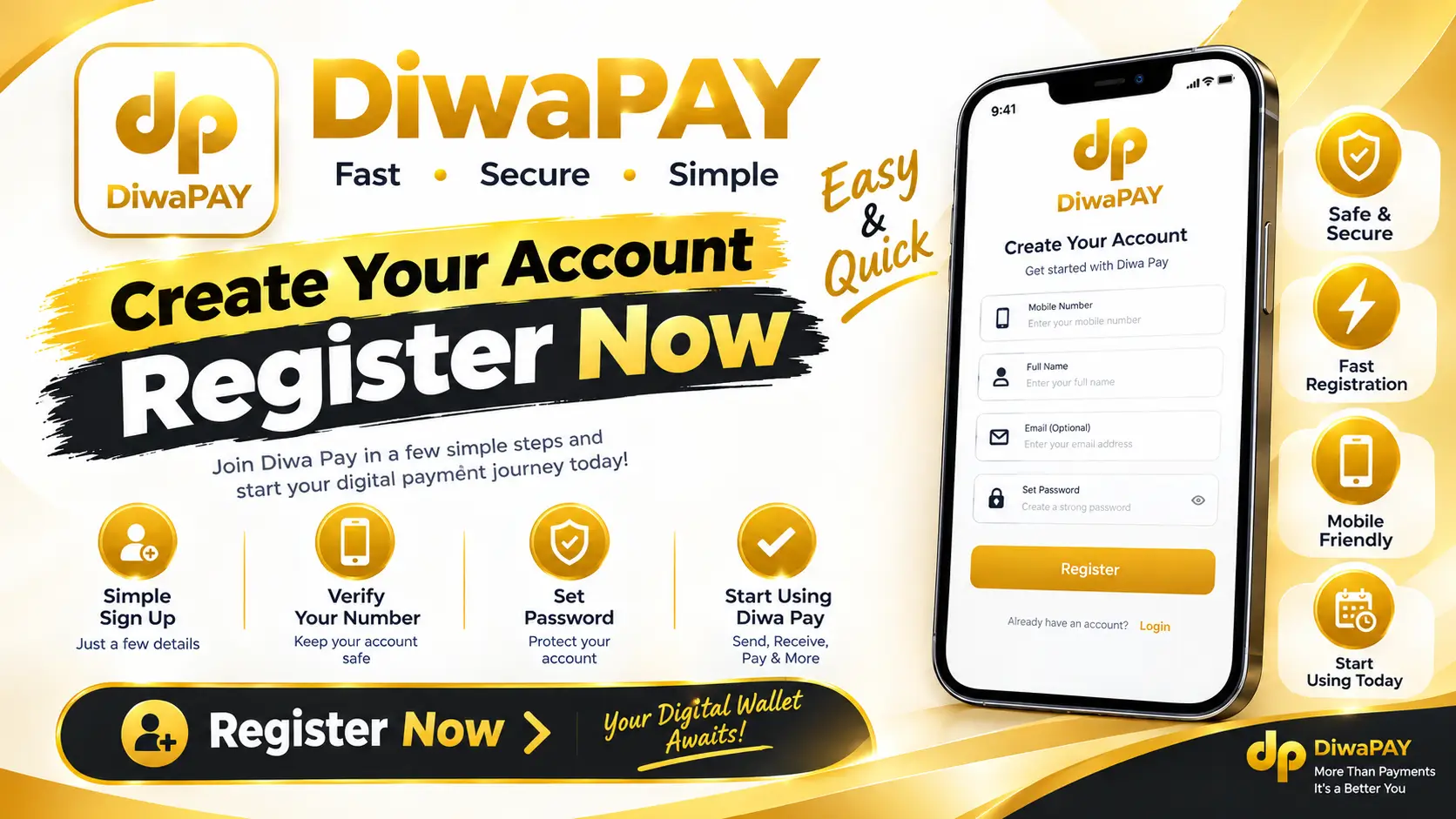
Registration takes about 2 minutes and does not need an email address.
- Open the Diwa Pay app and tap Register.
- Enter a username.
- Enter your mobile number. Use the one linked to your UPI.
- Create a strong password, different from your bank app password.
- Tap Send OTP and enter the OTP.
- Enter invite code 0sDgKy.
- Tap Register. Your account is ready.
Enter the invite code at registration. It connects you to new-user rewards and usually can't be added later.
Diwa Pay login & forgot password
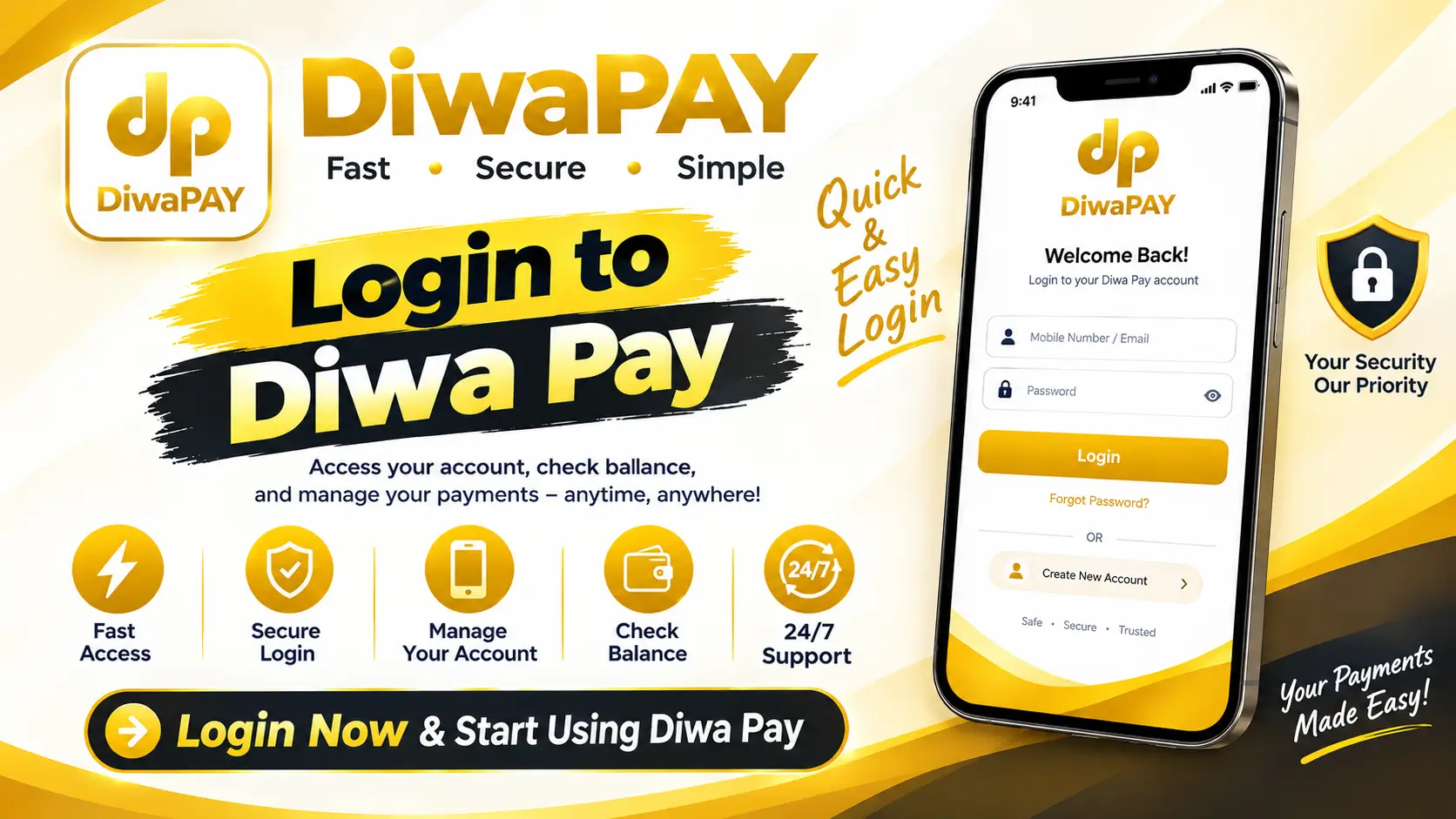
How to log in
- Open the Diwa Pay app.
- Enter your registered mobile number and password.
- Tap Login. Enter the OTP if asked.
Diwa Pay forgot password
- On the login screen, tap Forgot Password.
- Enter your registered mobile number and the OTP.
- Set a new password and log in.
Common login problems
| Problem | Fix |
|---|---|
| OTP not coming | Check network, wait 60 seconds, check SMS blocking |
| Wrong password | Use Forgot Password instead of retrying |
| App not opening | Clear cache or reinstall from the official link |
| Old version error | Download the latest APK from the official link |
Diwa Pay payment tools: personal & business
To receive money when you sell, you link a payment tool. Buyers send rupees to the tool you pick for that order. Choose the tab that matches your account type.
Normal (personal UPI) tools
Paytm
Personal UPI ID for receiving buyer payments.
Popular
PhonePe
Personal UPI app, quick to verify incoming money.
Popular
Navi
Personal UPI app linked to your bank account.

MobiKwik
Personal UPI and wallet app.
Freecharge
Personal UPI app for receiving payments.
IndusPay
Bank UPI app for personal collections.

MoneyView
Linked personal payout option.
How to add a normal tool
- Open Diwa Pay and go to the payment tools or payment settings section.
- Select the app, such as Paytm or PhonePe.
- Enter your UPI ID exactly as it appears in that app.
- Save it, then pick this tool when you place a sell order.
Your UPI name should match your bank account name. Mismatched names cause payment failures and appeals.
Business (merchant) tools

Paytm for Business
Merchant QR collection that settles to your bank.
Merchant
BharatPe for Business
Merchant QR for higher-volume collection.
Merchant
Google Pay for Business
Merchant UPI collection for business accounts.
Merchant
How to add a business tool
- Complete KYC in the business app first.
- In Diwa Pay, open payment tools and choose the business option.
- Add your merchant UPI ID or QR details.
- Always match the exact order amount before confirming.
How to buy tokens on Diwa Pay
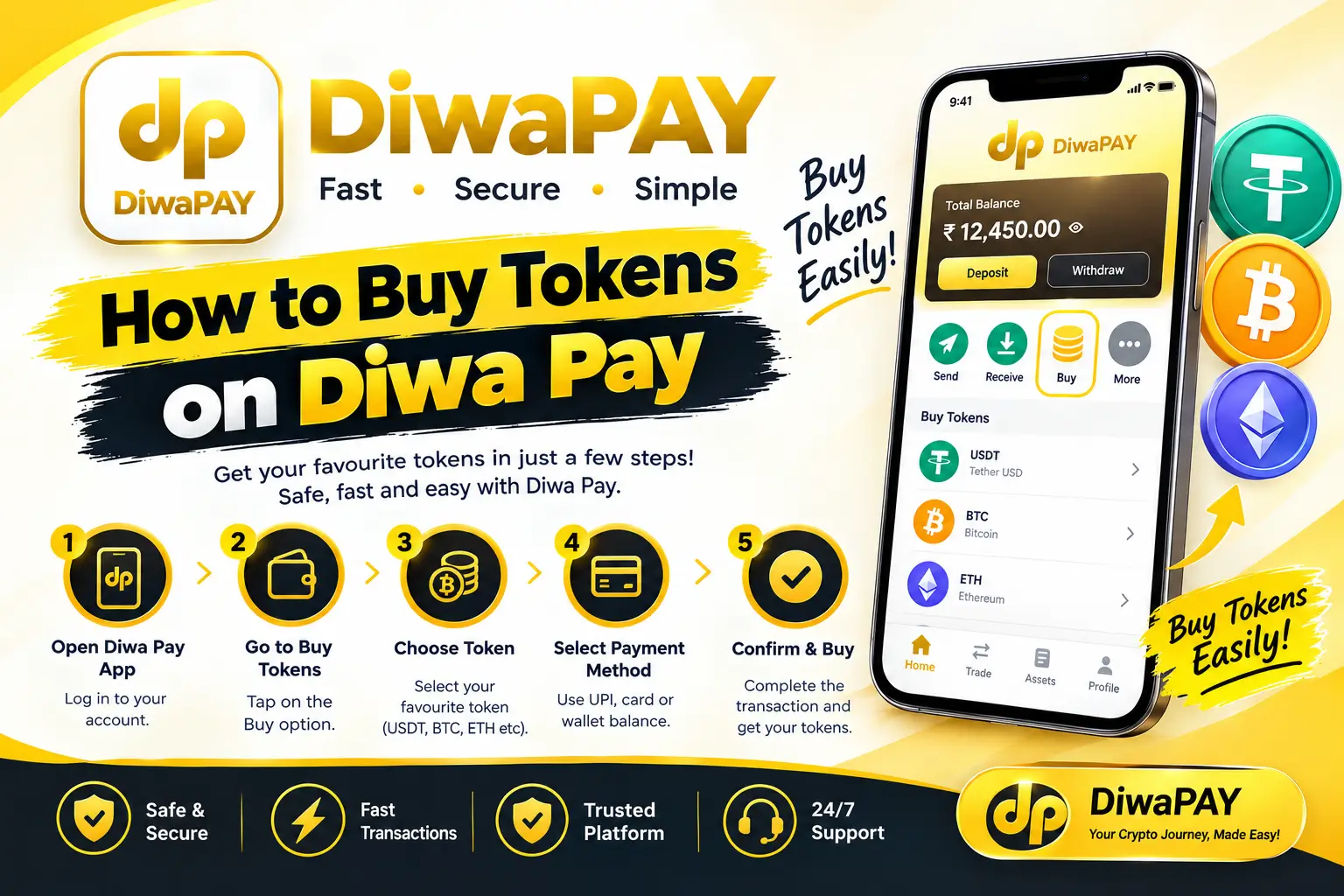
- Log in and open the Buy section.
- Choose the amount of tokens.
- Review the order details carefully.
- Pay using the method shown.
- Enter your UTR or transaction ID if asked.
- Wait for confirmation. Tokens appear in your wallet once verified.
Screenshot your payment before closing the payment app. You'll need it if there's a problem.
How to sell USDT on Diwa Pay (₹110 rate)
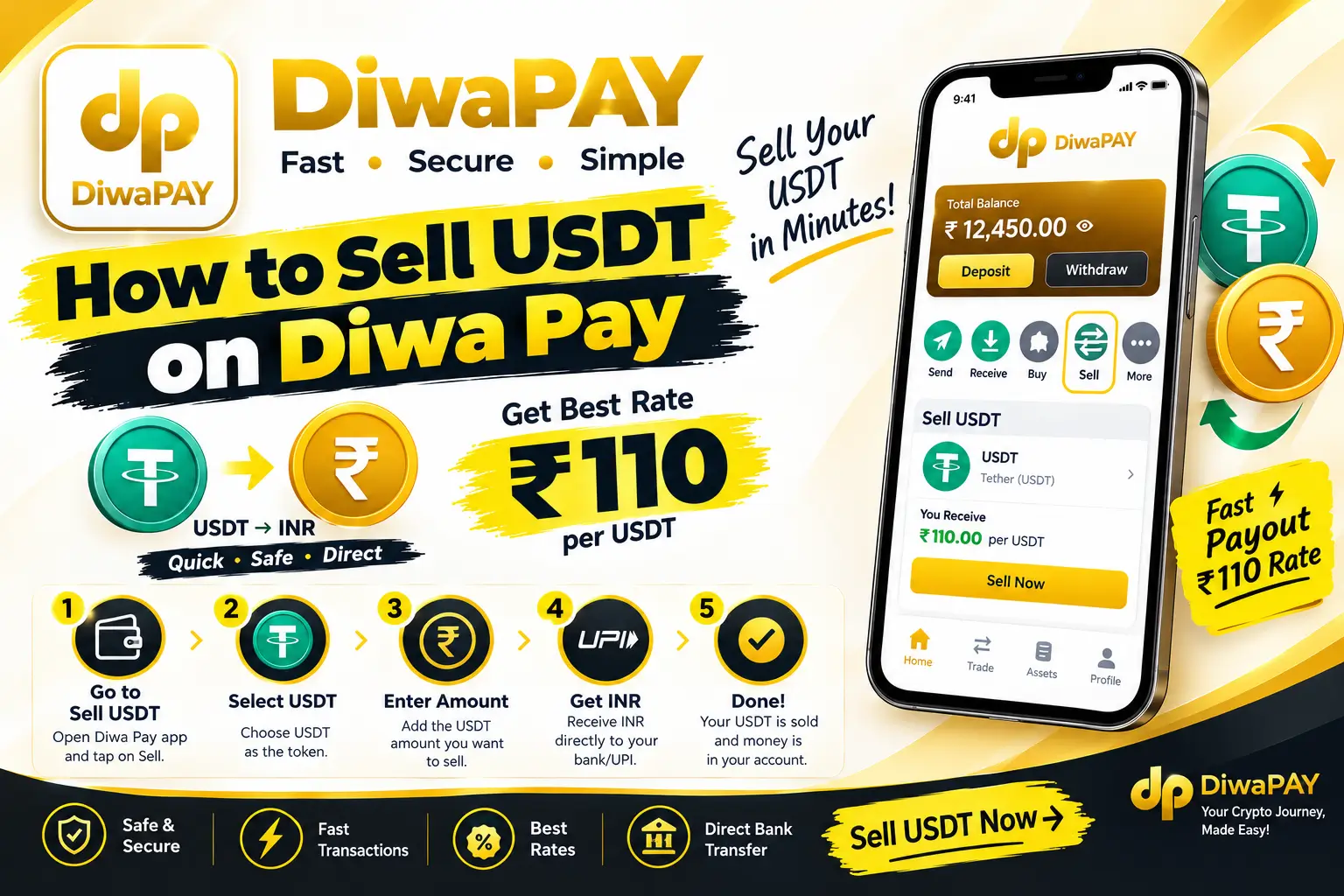
This is the feature I use every day.
- Open the Sell USDT section.
- Enter the USDT amount. The current rate is ₹110 per USDT.
- Choose the payment tool where you want the money.
- Confirm the order. A buyer is matched to you.
- The buyer pays, usually within 20 minutes.
- Open your bank or UPI app and check that the money arrived, with the right amount and sender name.
- Only then confirm receipt in Diwa Pay.
USDT to INR calculator (TRC20 & BEP20 fee)
When you send USDT, the network charges a fee. This fee is cut from your USDT first, and the rest is converted at ₹110.
| Network | Fee per transfer | Best for |
|---|---|---|
| TRC20 (Tron) | 1.5 USDT | Larger amounts |
| BEP20 (BSC) | 0.01 USDT | Small and large amounts |
| USDT amount | 100 USDT |
| TRC20 network fee | − 1.5 USDT |
| USDT after fee | 98.5 USDT |
| Rate | ₹110 per USDT |
| You get | ₹10,835.00 |
| USDT amount | 100 USDT |
| BEP20 network fee | − 0.01 USDT |
| USDT after fee | 99.99 USDT |
| Rate | ₹110 per USDT |
| You get | ₹10,998.90 |
Diwa Pay order time, limits & fees
Based on 6 months of daily use:
- Payment time: buyers usually pay within 20 minutes.
- Limits: I haven't hit any minimum or maximum limit.
- Token return: up to 4% on completed token sell orders.
- Network fee: 1.5 USDT on TRC20, 0.01 USDT on BEP20. See the calculator.
- Other charges: no other fees were deducted from my orders.
- My volume: 200–400 USDT daily.
Higher volume means more payments from unknown buyers, which raises the bank risk explained in the risks section.
Diwa Pay appeal: when payment doesn't arrive
Sometimes a buyer marks "Paid" but the money doesn't show up. In 6 months I had to appeal 2–3 times.
- Don't confirm the order.
- Open the order and tap Appeal.
- Upload a bank statement screenshot showing the money hasn't arrived.
- Wait for support to review.
My experience: appeals were solved in 5 to 20 minutes, and my USDT stayed locked in the order during the appeal.
Diwa Pay welcome bonus & referral commission
Welcome bonus
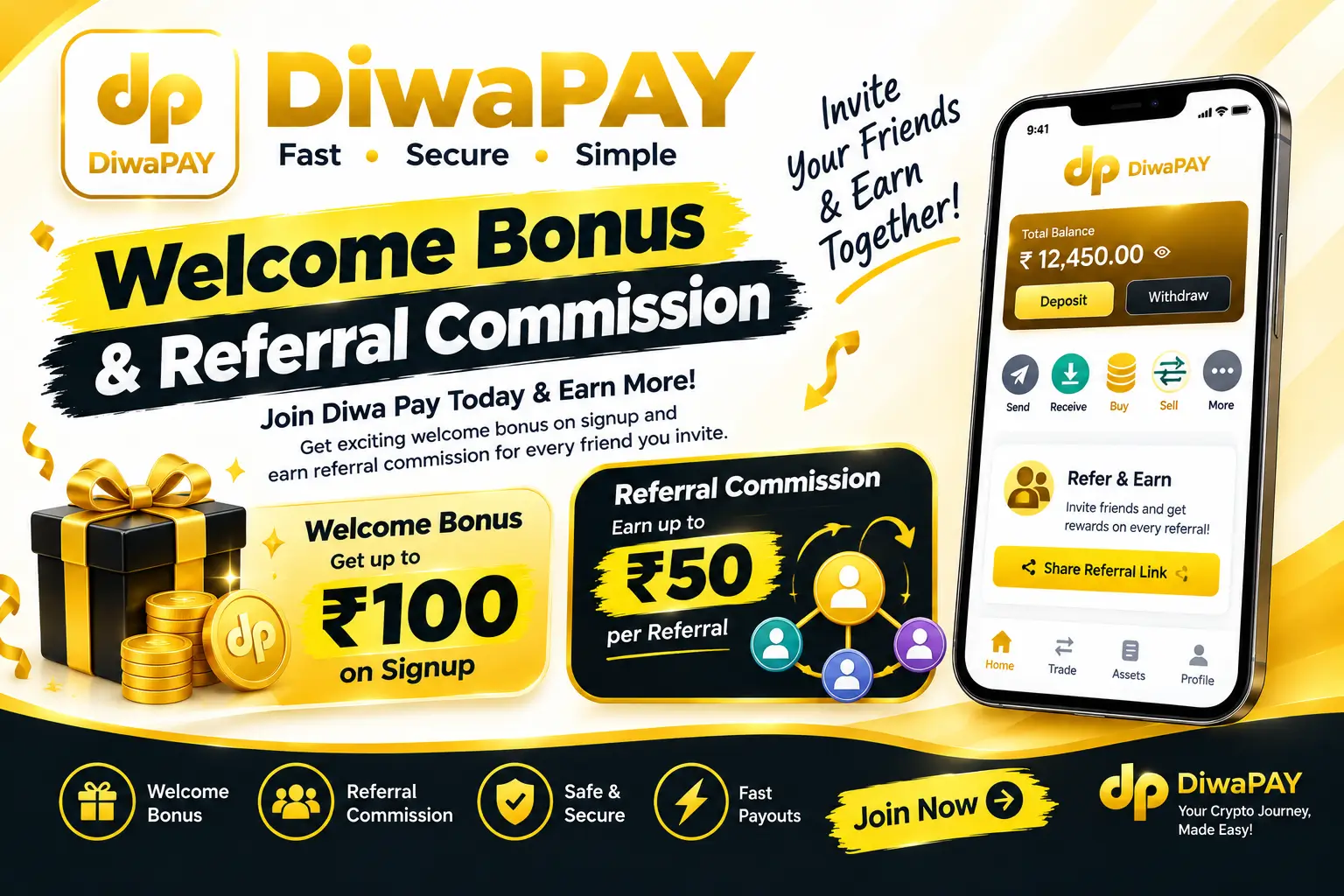
New users can get a welcome bonus between ₹88 and ₹121. I checked this range myself. The exact amount can depend on the tasks you complete.
Referral commission
| Level | Who | Commission |
|---|---|---|
| Level B | People you invite directly | 2% |
| Level C | People your invitees invite | 0.2% |
Referral income depends on your team actually trading, and everyone you invite takes on the same bank and platform risks. Explain the risks before you invite someone.
Diwa Pay customer care & support
Many people search for a "Diwa Pay customer care number". Here's what I found:
- No in-app help: I couldn't find a support section inside the app.
- Where support works: diwapaychat.com and the official Diwa Pay Telegram channel.
- No official phone number: numbers on Google or YouTube comments are very likely fake.
Is Diwa Pay a game?
No. Searches like "Diwaplay game", "Diwa Pay game", "Diwaplay Yono" or "Diwa Pay gem" usually mix up Diwa Pay with gaming apps that have similar names. Diwa Pay is a P2P USDT and token app. If an app with this name asks you to play games or bet money, it's a different app.
Diwa Pay real or fake? My honest verdict
What worked for me
- Orders complete regularly, usually within 20 minutes.
- Appeals were solved in 5–20 minutes.
- No fees apart from the USDT network fee.
- I've used it daily for 6 months.
What worries me
- A ₹2,100 lien was placed on my bank account.
- It isn't on the Play Store and isn't regulated like a bank.
- There's no in-app support and no official phone number.
- Money comes from unknown buyers, so you can't know its source.
Verdict: the app has worked for me, but "the app works" and "it's safe for your bank account" are two different things. If you use Diwa Pay, start small, use a separate account, keep records and understand the tax side.
Diwa Pay safety checklist
- Download only from the official link.
- Never share your OTP, UPI PIN or password.
- Check money in your bank app before confirming.
- Make sure the buyer's name matches the payment.
- Use a separate bank account for P2P.
- Save screenshots and UTR of every trade.
- Don't trust phone numbers found on Google.
- Understand VDA tax rules.
- Keep one account per person. Multiple accounts can get you banned.
Diwa Pay pros & cons
| Pros | Cons |
|---|---|
| Fast orders (up to 20 min) | Bank lien or freeze risk |
| Quick appeals (5–20 min) | Not on Play Store |
| Low BEP20 fee (0.01 USDT) | No in-app support or phone number |
| Welcome bonus ₹88–121 | Tax responsibility is yours |
| Referral 2% + 0.2% | Unknown source of incoming money |
Diwa Pay FAQ (English + Hinglish)
What is the Diwa Pay invite code?
The invite code is 0sDgKy. Enter it during registration because it usually cannot be added later.
What is the Diwa Pay USDT rate?
At the time of writing (September 2026) the USDT sell rate is ₹110 per USDT. Always check the live rate in the app.
How long does a buyer take to pay on Diwa Pay?
In our 6 months of use, buyers paid within a maximum of 20 minutes.
Does Diwa Pay charge any fees?
Only the USDT network fee: 1.5 USDT on TRC20 and 0.01 USDT on BEP20. No other fees were deducted from our orders in 6 months of daily use.
Do I need an email to register on Diwa Pay?
No. Registration needs a username, mobile number, password and OTP.
Is Diwa Pay available on iPhone?
No. As of September 2026 Diwa Pay is available only as an Android APK.
Which is cheaper on Diwa Pay, TRC20 or BEP20?
BEP20 is cheaper. The fee is 0.01 USDT on BEP20 and 1.5 USDT on TRC20. Always use the network the app shows for your deposit address.
Diwa Pay ka customer care number kya hai?
Humein koi official phone number nahi mila. Support diwapaychat.com aur official Telegram channel par milta hai. Google par dikhne wale numbers fake ho sakte hain.
Kya Diwa Pay se bank account freeze ho sakta hai?
Haan, risk hai. Hamare account par ₹2,100 ka lien laga tha. Agar kisi buyer ka paisa kisi cyber complaint se juda ho, toh bank wo amount block kar sakta hai.
Buyer ne Paid dabaya par paisa nahi aaya, kya karein?
Order confirm mat karo. Appeal dabao aur bank statement ka screenshot do. Hamare appeals 5 se 20 minute mein solve hue.
Diwa Pay welcome bonus kitna milta hai?
Welcome bonus ₹88 se ₹121 tak milta hai.
Diwa Pay referral commission kitna hai?
Level B (direct invite) par 2% aur Level C par 0.2% commission milta hai.
Is Diwa Pay a game?
No. Diwa Pay is a P2P USDT and token app. Searches like Diwaplay game or Diwaplay Yono refer to different apps.
Disclaimer
This website is an independent guide and is not officially connected to Diwa Pay. It is for information only and is not financial, legal or tax advice. P2P trading involves risk, including bank liens, account freezes and loss of funds. Do your own research and consult a CA or lawyer before trading.
 DiwaPay
 Ar Wallet
 Ele Pay
 RushPay Link